 Local Photo Restore
Features
Everything the app does, and exactly how.
Local Photo Restore has two tools, Enhance and Restore Color, plus a careful way to compare and save. That’s the whole app. Here’s what each part does and where its limits are.
Enhance
Clearer detail, up to four times larger.
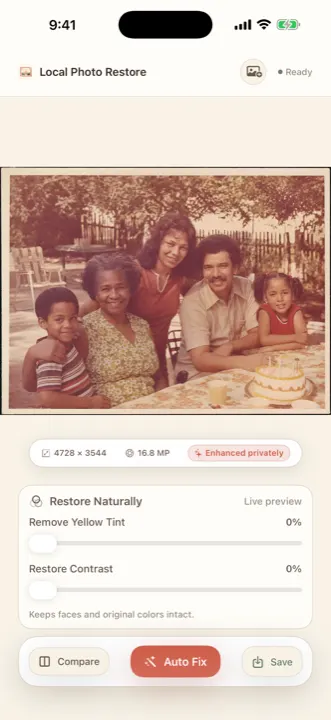
Enhance runs an AI super-resolution model (a Real-ESRGAN ×4 model converted for Core ML) directly on your iPhone or iPad. It enlarges the photo up to 4x and sharpens edges and texture along the way. A 512-pixel scan becomes a 2048-pixel image.
- Runs on device. The model ships inside the app; the photo isn’t sent anywhere.
- Large photos are handled in tiles so memory stays in check. The enlarged result is capped near 17 megapixels (for example 4728 × 3544).
- Already-large photos gain less. If a scan is already high resolution, the app tells you and suggests cropping first.
Worth knowing: super-resolution predicts plausible detail. It can make fine texture, hair, or lettering look crisper than the original ever recorded. Compare faces closely and keep your original.
Restore Color
Lift the yellow. Bring back the depth.
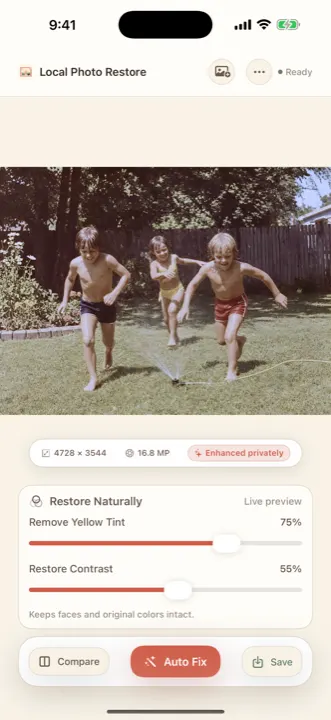
Aging color prints drift warm and flat. Restore Color gives you two plain-language controls with a live preview:
- Remove Yellow Tint neutralizes the yellow cast measured in your photo.
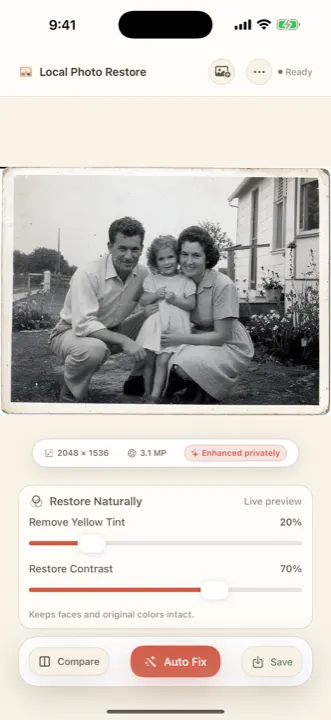
- Restore Contrast recovers faded tonal range so existing colors and shadows read again.
- Auto Fix is a conservative one-tap starting point that adapts to the cast and tonal range it measures in each photo. You can adjust it afterward.
These are deterministic image adjustments, not generative AI, so they don’t add anything to the picture. They also don’t colorize: a black-and-white photo stays black and white.
Compare & save
Check every face before you keep it.
Before/after divider
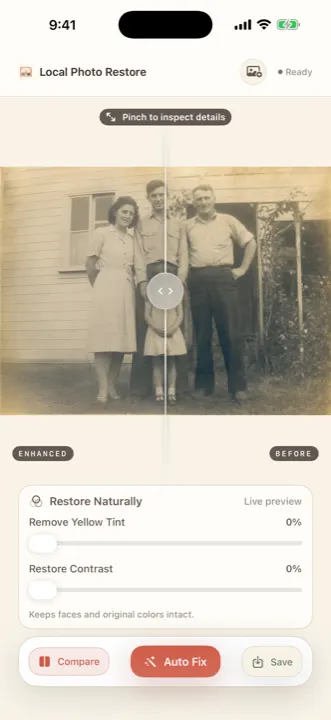
Drag across the photo to see exactly what changed, side by side on the same image.
Pinch to inspect
Zoom into eyes, hands, and lettering, where enhancement is most likely to over-interpret.
Saves a new copy
The result is added to Photos as a separate image. Your original is never overwritten.
Scan a printed photo
Photograph a print with the camera from inside the app. For best results, avoid glare and keep the phone parallel.
Details
Specifications
- Devices
- iPhone and iPad with iOS or iPadOS 18.2 or later
- Price
- $3.99 one-time in the U.S. App Store. No subscription, credits, or in-app purchases
- Processing
- On device. No account, no photo uploads
- Enlargement
- Up to 4x; output capped near 17 megapixels
- Color tools
- Remove Yellow Tint, Restore Contrast, Auto Fix
- Output
- New copy saved to Photos; original untouched
- Doesn’t do
- Scratch, tear, stain, or glare repair; colorization; face reconstruction; cropping or perspective correction (crop in Photos first)
- Current version
- 1.0.4, checked on the App Store September 25, 2026
Two tools, done carefully.
Enhance and Restore Color handle the most common problems in old family photos: softness, low resolution, yellowing, and fading.